





Turn your syllabus into a study plan
Paste a syllabus or upload a PDF. Get a topic tree, focused articles, and chat for every topic.
Built for how you actually study
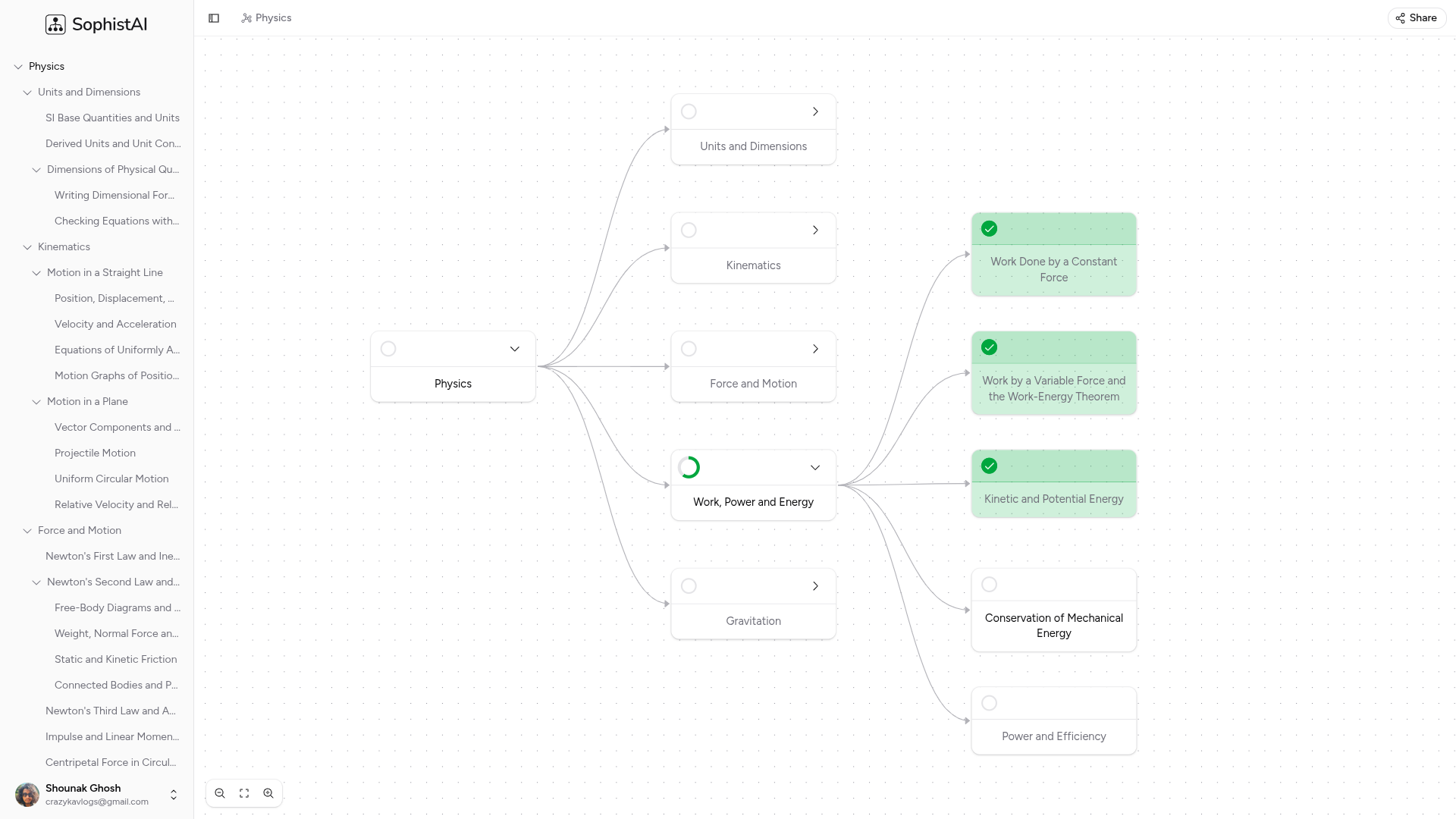
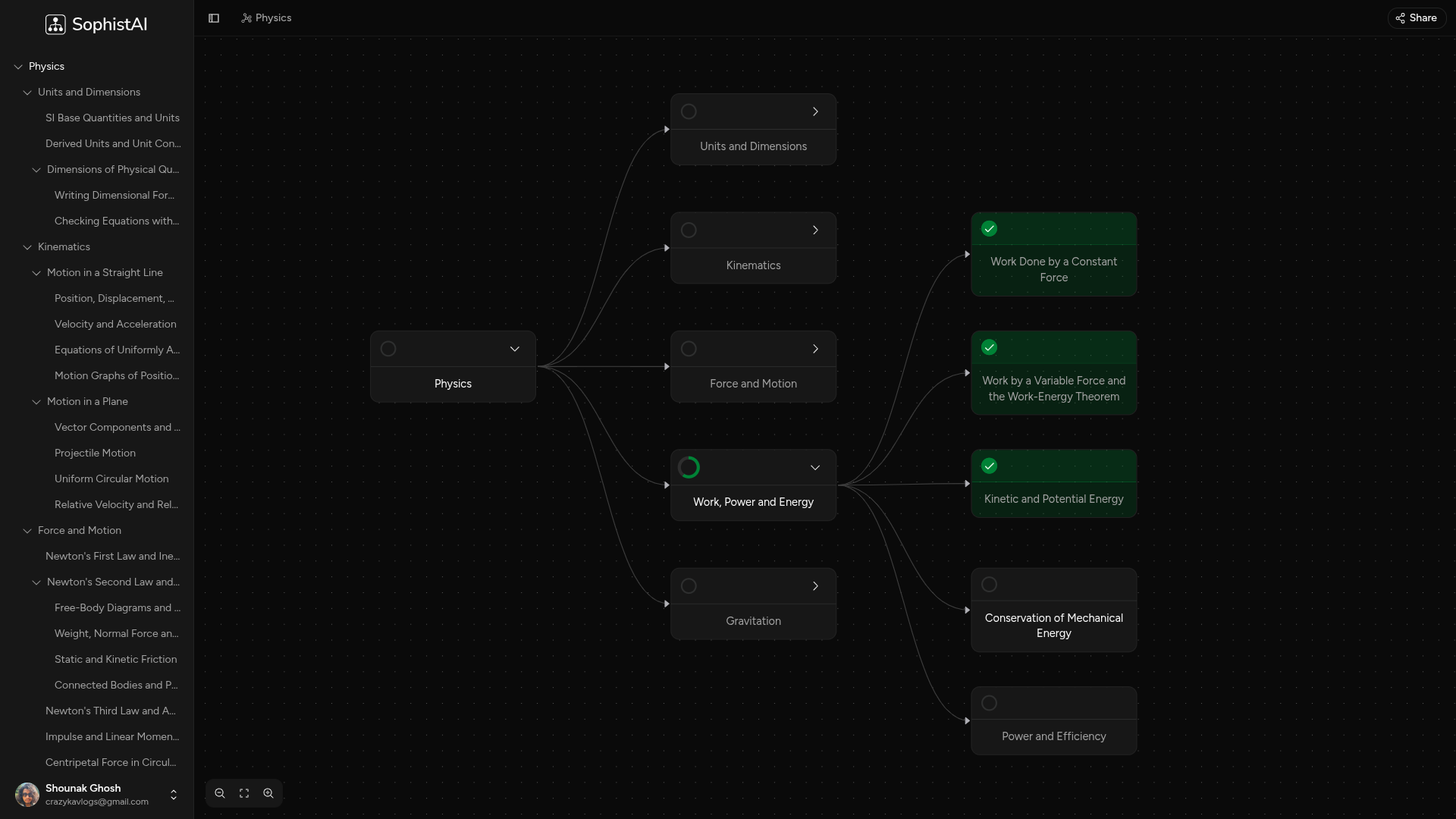
A map of the whole course, clear notes for each topic, and chat right beside them.
Start from your syllabus
Paste text, upload a PDF, or snap photos. SophistAI turns it into a navigable tree of topics.
Focused articles, not chat walls
Click any topic to read a clear, structured article written for your level.
See what's left
Check off topics as you go so you always know where you stand before an exam.
Go deeper without getting lost
Dig into a hard subtopic while keeping the rest of the course in view.
Progress rolls up automatically
Finish the subtopics and the main topic marks itself done, and the other way round.
Ask questions in context
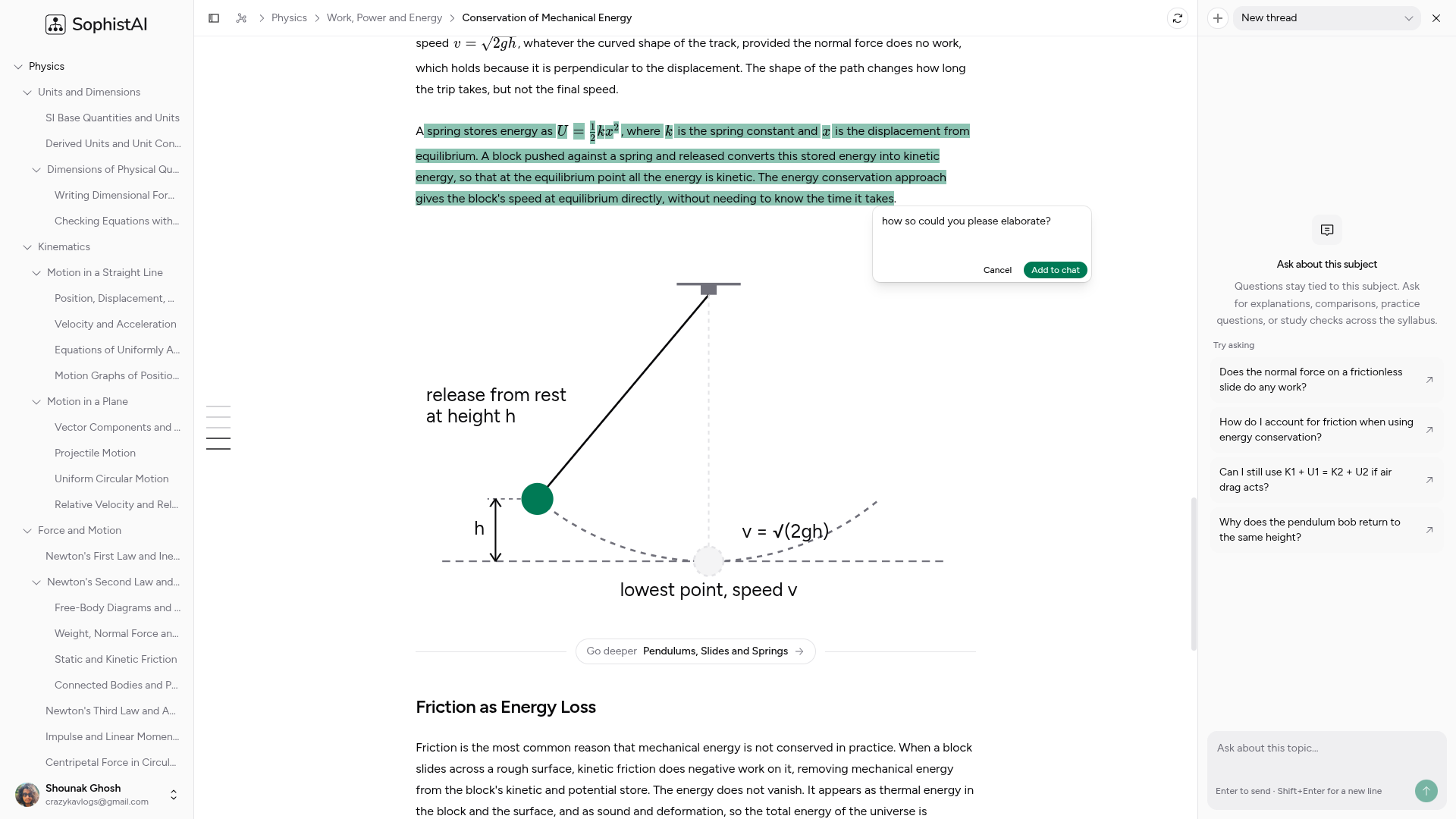
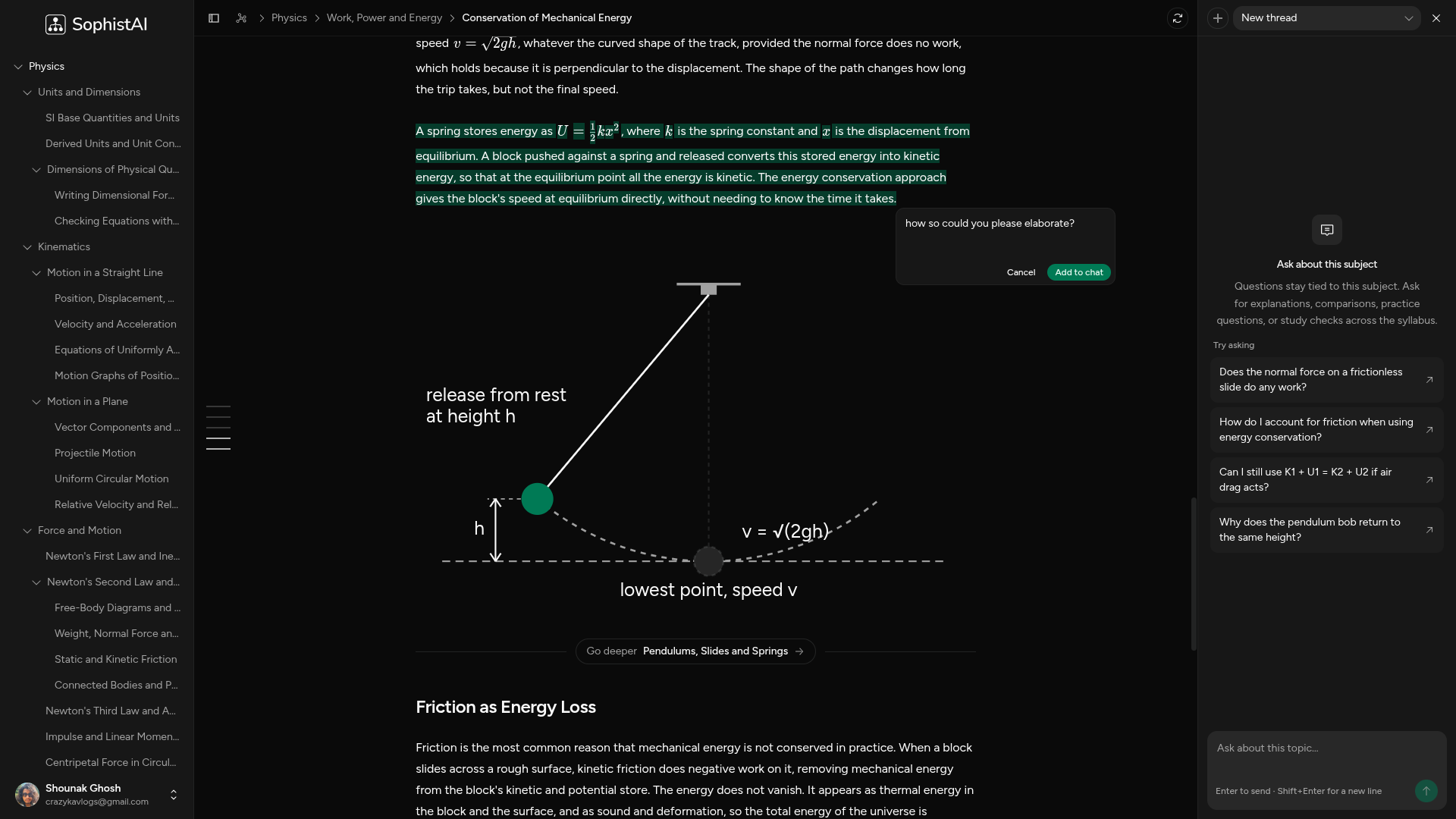
Highlight a passage or open chat beside the article. It already knows what you are reading.
See it in action
Watch how a raw syllabus becomes a topic tree, study articles, and contextual chat.
Frequently Asked Questions
Just in case you're wondering about the same things.
Paste your syllabus text, upload a PDF, or add photos of its pages. Don't worry about the formatting, our syllabus parser takes care of that.
Upload or paste your syllabus and we break it into a tree of topics and subtopics. Click any topic to read its article, ask questions, or mark it done.
Yes. Click + on any topic to generate subtopics under it whenever you want to go deeper.
Check off any topic as you finish it. Finishing all subtopics marks the main topic done, and checking off a main topic marks everything under it.
Reach out to us at sophistai.team@gmail.com, or find us on X as @sophist_ai